by Chris Limantour | Sep 18, 2026 | Tesla Repair
The car is silent. So you hear everything else. That is what makes chasing noise on a Tesla different: there is no engine covering it up. Turn off Main Street onto a broken side street in Hellertown and the front end answers with a dull knock, once per bump, loudest when the pavement is cold.
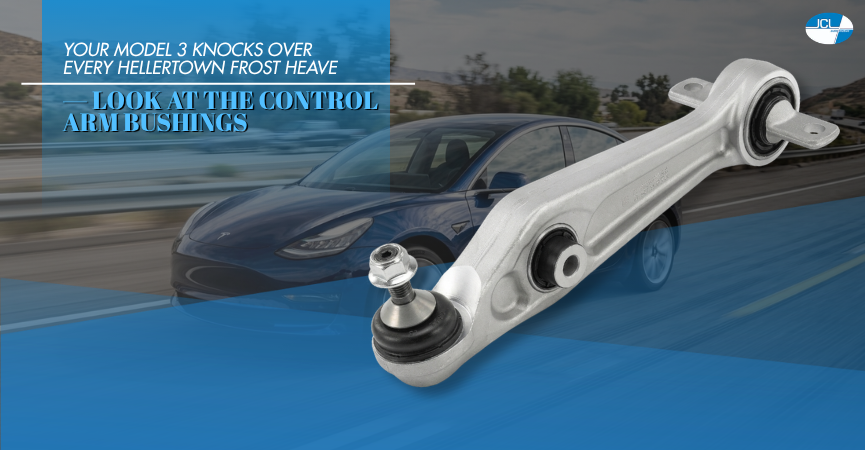
Usually that is a front control arm bushing. On a Model 3 or Model Y it is a wear item, not a defect — the bushings carry a heavy car over rough Lehigh Valley roads, and October stiffens the rubber enough to start it talking. Catch it now and you replace an arm. Wait and you buy tires too.
Quick Summary: Key Takeaways
- What is knocking: The rubber-and-steel bushings locating the front control arms let the arm shift a few millimetres fore and aft, and that movement lands as a knock.
- Where you hear it: Low speed, broken pavement, one knock per bump — louder over frost heaves, quiet on smooth asphalt.
- Why Teslas wear them: The battery pack puts real weight on the front suspension and instant torque loads the bushings every time you pull away.
- The hidden cost: A loose arm changes toe under load, which scrubs the inside edge of the front tires long before the noise gets bad.
- Our credentials: European specialist since 2005, ASE-certified technicians, 24-month/24,000-mile nationwide warranty on the work.
Control arm bushings are the quiet hinge your suspension pivots on
Each front control arm bolts to the subframe through a bushing: a steel sleeve bonded into rubber and pressed into the arm. The rubber lets the arm swing up and down over bumps while holding it still fore and aft. And that second job is the one that fails.
Once the rubber cracks or separates from the sleeve, the arm gains a few millimetres of travel it should not have. Braking pulls it back, acceleration shoves it forward, and every seam in the road slams it between those two positions. The clunk you hear is a small piece of rubber that has stopped holding a 4,000-pound car in place.
Nothing here is unique to Tesla. Every independent suspension uses these bushings. What differs is the weight the front arms carry and the torque they absorb from a standing start, which is why we find play in the lower arms of a Model 3 or Model Y before anything at the rear gives up.
The noise arrives long before the steering feels wrong
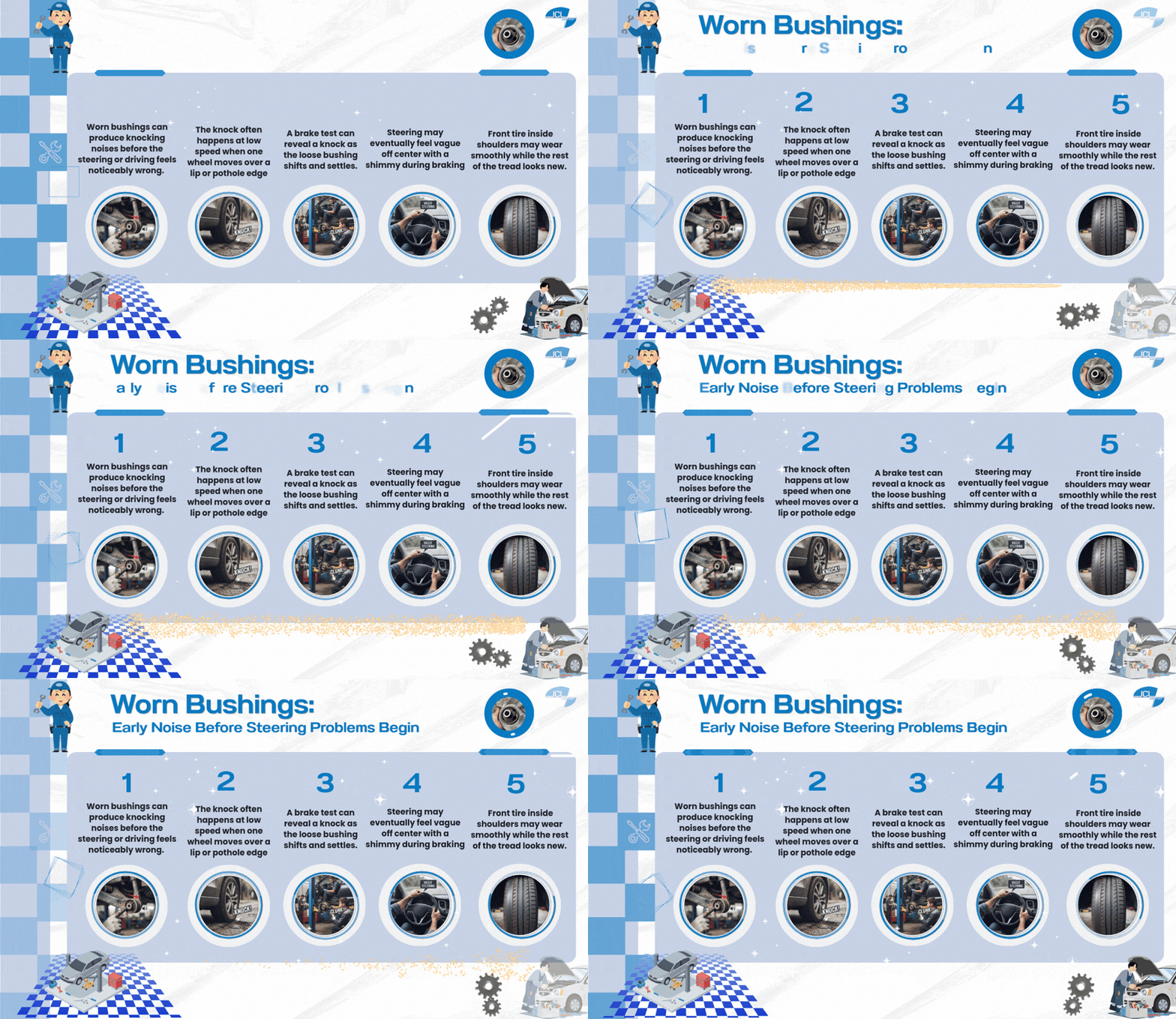
Worn bushings talk before they change how the car drives, which is why the knock is worth acting on early. Note where it happens. Low speed, one wheel at a time, over a lip or a pothole edge rather than smooth road.
Then try the brake test. Roll at 10 mph in an empty lot, brake gently, release, repeat. A loose bushing often produces one knock as the arm shifts back and settles, and if the sound comes on cue you have narrowed it to the front arms.
Eventually you feel it too. Vague steering just off center, a shimmy under braking, the car following ruts instead of ignoring them. By then the inside shoulder of a front tire is often worn smooth while the rest of the tread looks new.
Lehigh Valley pavement is why these wear out early
Pennsylvania roads are hard on suspension rubber, and the numbers say so. ASCE’s 2025 Infrastructure Report Card rates 51% of Pennsylvania’s roads as being in poor or fair condition.
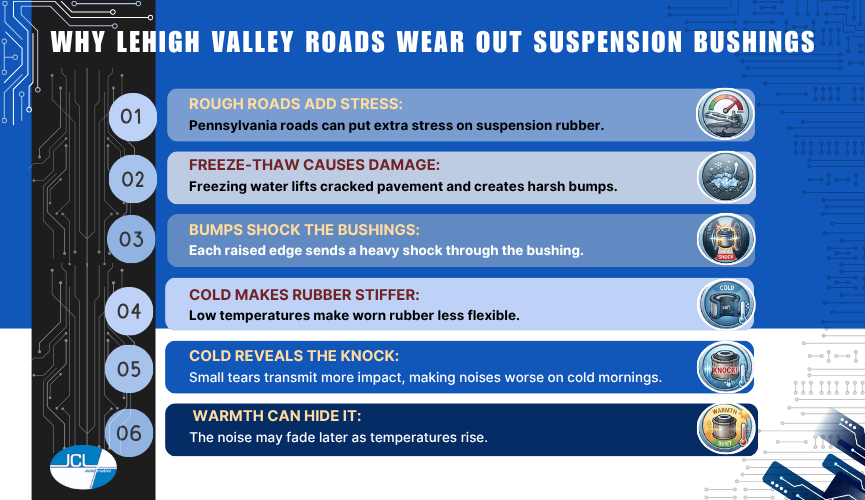
Freeze-thaw does the damage. Water works into a crack, freezes overnight, lifts the slab and drops it, and by late autumn those lifted edges line the older stretches between Hellertown, Bethlehem and Easton. Each one sends a shock load straight through the bushing.
Cold matters by itself. Rubber goes stiff below about 40 degrees, so a bushing with a small tear stops damping the hit and starts transmitting it — which is why the knock shows up on the first cold mornings and fades by afternoon.
Waiting turns a bushing job into a tire job
Toe changes every time the arm shifts, and that scrubs rubber off the inside edge of the front tires, which is how a set of otherwise healthy tires loses several thousand miles of life while the outer tread still looks close to new. But tires cost far more than bushings.
Rough roads already cost the average American driver over $1,400 a year in vehicle operating costs and lost time, per ASCE’s 2025 roads assessment. Driving on worn bushings is how you land at the high end of that.
There is a safety line, too. A bushing that separates completely lets the arm move under hard braking, and the car will dart. If yours has reached the point where you can move the arm by hand, park it.
How we confirm it and what the repair involves
This is a hands-on diagnosis. No scan tool finds it. On the lift with the suspension unloaded, a technician levers each arm at the bushing and watches for movement between the steel sleeve and the rubber around it. Cracked, weeping or offset bushings are obvious once you know what a good one looks like.
Most Tesla front lower arms get replaced as a complete assembly rather than pressed apart, which gives you a fresh ball joint at the same time. Bolts are torqued at ride height. Toe and camber both move when an arm comes out, so the car needs aligning afterward — skipping it is how a new bushing ruins a new tire.
Frequently Asked Questions
Q: What causes a clunking noise in the front of a Tesla Model 3?
A: Worn front control arm bushings are the most common cause, followed by the upper links and, less often, a strut mount. All three knock once per bump at low speed, and only a hands-on inspection separates them. Guessing means buying the wrong part.
Q: How long do Tesla control arm bushings last?
A: Roads decide it, not the odometer. On smooth suburban pavement they can pass 100,000 miles. On the frost-heaved streets around the Lehigh Valley we find play well before that, especially on cars that spend winter parked outside.
Q: Can I drive my Tesla with a knocking control arm bushing?
A: Briefly and gently. It is not an immediate failure, but wear accelerates once the rubber tears, and the front tires pay for the delay. If the car darts under braking, stop driving it and have it inspected.
Q: Do you need an alignment after replacing control arm bushings?
A: The car does need one. Pulling a control arm changes toe and camber, so it has to be aligned afterward or the new parts will wear the tires unevenly. Sort it out before the tires pay for the delay.
Bring the knock in before winter seizes the bolts
A bushing replaced in October is a straightforward afternoon. The same job in February, after salt has worked into every fastener, takes longer. Tell us which corner knocks and over what kind of bump, and we will confirm it on the lift.
JCL Automotive – 70 Main St, Hellertown, PA 18055
Hours: Mon-Fri 8:30 AM to 6:00 PM; service closed Saturday and Sunday
Website: jclautomotive.com
by Chris Limantour | Aug 18, 2026 | Tesla Repair
Ninety-four degrees on Route 412 back in July, traffic crawling, air conditioning at full blast. Your Model 3 spent that whole stretch cooling the cabin and the battery pack off one shared loop, and now, in September, the range estimate still slides lower than the miles you’re covering.
Some of that is normal physics. The rest is wear. A summer’s worth of heat cycles is what finally kills the coolant pump, the low-voltage battery, the AC compressor — and those parts tend to quit after the heat breaks, not during it. We service Tesla alongside BMW, Mercedes and Audi here in Hellertown, and September is our busiest month for thermal complaints from Route 412 commuters.
Quick Summary: Key Takeaways
- Range loss is real and measurable: hot-weather driving with the AC on can cut EV range by roughly 17 percent.
- Precondition while plugged in: cooling the cabin on wall power instead of pack power protects both range and battery temperature.
- The 12V or 16V battery is the usual culprit: heat shortens its life, and its failure looks like a dozen unrelated faults.
- Watch charge habits above 90 degrees: repeated Supercharging on hot days raises pack temps and slows the taper.
- Keep tires at the door-jamb spec: most Model 3 and Model Y trims call for 42 to 45 psi, and low pressure quietly eats range.
Heat is the main thing standing between your pack and its rated range
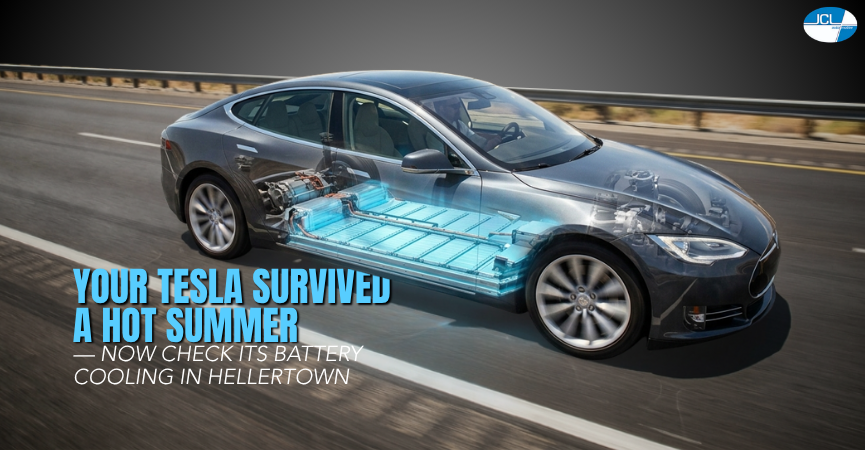
A Tesla battery wants to live between about 68 and 95 degrees. That takes work. The car circulates coolant through the pack, routes it through a chiller shared with the cabin AC circuit, and leans on the compressor to do double duty on the hottest days. One weak part changes everything downstream.
Model 3 and Model Y use a heat pump and an eight-way valve assembly to move that heat around. Older Model S and X systems are simpler, with a separate resistive heater and a more conventional refrigerant loop, though the same coolant pump does the heavy lifting. It’s the part we replace most once the heat breaks.
Hot weather range loss follows a predictable pattern
Expect to lose range on the hottest days. The Department of Energy reports that electric vehicle range can drop about 17 percent at 95 degrees with the air conditioning running, and gridlock on I-78 makes it worse. The number isn’t a defect.
You can claw much of it back. Park in shade. Precondition on the charger before you leave, and use seat ventilation instead of dropping the cabin to 65 degrees on a 95-degree afternoon. Small changes stack up.
The low-voltage battery is our most common post-summer Tesla failure
Heat kills small batteries first. The 12-volt lead-acid unit in older cars and the 16-volt lithium pack in newer Model 3 and Model Y vehicles both degrade faster in sustained heat. When either gets weak, the symptoms scatter in a way that sends owners chasing the wrong repair entirely. Voltage first.
You’ll see it as random alerts, a door handle that won’t respond, a screen reboot, or a car that won’t wake from sleep. Test it. A load test takes minutes and settles the question, which beats replacing a door module on a hunch.
A weak air conditioning system is a battery cooling problem too
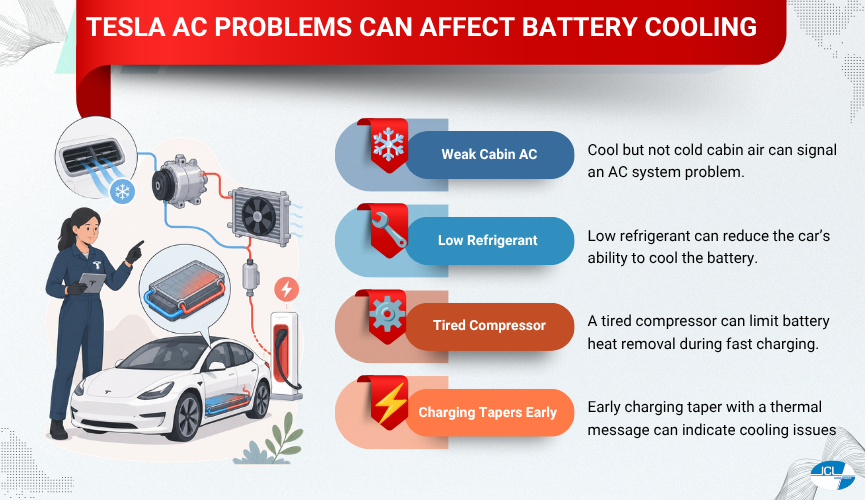
On a Tesla, cabin AC and pack cooling share hardware. That matters more than comfort. A low refrigerant charge or a tired compressor strips the car’s ability to pull heat out of the battery, right when it needs that ability most during a fast charge. Comfort is the symptom.
Signs to bring in: cabin air that’s cool but not cold, a compressor you can hear cycling constantly, or a charging session that tapers early with a thermal message. Leaks are found with dye and gauges, not guesswork.
September charging habits still matter more than April habits
Charge cooler, charge smarter. Daily charging to 80 percent is easier on the pack than sitting at 100 percent in a hot driveway. On a road trip, letting the car precondition the battery on the way to a Supercharger keeps the session short instead of watching the rate crawl.
Two more things worth doing. Leave a little headroom before back-to-back fast charges on a 95-degree day, and check tire pressures monthly, cold, before you drive. Underinflation costs range on every trip. Small habit, real miles.
Hellertown Tesla owners can skip the service center wait
We’re on Main Street, minutes from Route 412 and I-78, and we’ve been servicing European cars here since 2005, with Tesla added as those cars arrived. Tesla work runs alongside our BMW, Mercedes and Audi service, with factory-level scan tools, ASE-certified technicians and a 24-month, 24,000-mile nationwide warranty on the repairs we perform. Often same day.
Drivers come to us from Bethlehem, Allentown, Easton and Quakertown, usually because the appointment is sooner and the updates are clearer. No mystery invoices. You’ll get texts as the diagnosis develops, and a written estimate before we touch anything. Start to finish.
Frequently Asked Questions
Q: Why does my Tesla lose range in hot weather?
A: Because the car spends energy cooling the cabin and the battery pack at once, and the Department of Energy puts hot-weather EV range loss near 17 percent at 95 degrees with the AC on. Preconditioning on the charger and parking in shade recovers a good chunk of it.
Q: How do I know if my Tesla 12V battery is failing?
A: Look for unrelated warnings at the same time: door handles or windows acting up, screen reboots, a car that won’t wake, or a low-voltage alert. Summer heat accelerates the failure. A load test confirms it in minutes.
Q: Can an independent shop service a Tesla in the Lehigh Valley?
A: Yes. We service Tesla at our Hellertown shop, including cooling system work, low-voltage battery replacement, AC repair, brakes, suspension and diagnostics. Warranty-specific and high-voltage pack repairs still route through Tesla.
Q: Is it bad to Supercharge a Tesla on very hot days?
A: Occasional hot-weather fast charging is fine, since the car protects itself by slowing the rate, but doing it repeatedly at high state of charge in extreme heat adds stress over time. Precondition on the way there and stop around 80 percent when you can.
Schedule Tesla cooling and battery service in Hellertown
If range dropped off sharply over the summer or the AC feels weak, get it looked at before the pack starts limiting charging. We’ll test the loop, the compressor and the low-voltage battery. Sooner is cheaper.
JCL Automotive — 70 Main St, Hellertown, PA 18055
Hours: Mon–Fri 8:30 AM–6:00 PM; Sat sales by appointment only; Sun closed
Website: jclautomotive.com
by Chris Limantour | Jun 2, 2022 | Tesla Repair
In recent times, advanced technology in the automotive space has ushered in the use of the touch screen as the main means to control our cars. There is no luxury car brand that is more focused on the use of touch screens for its controls than Tesla.
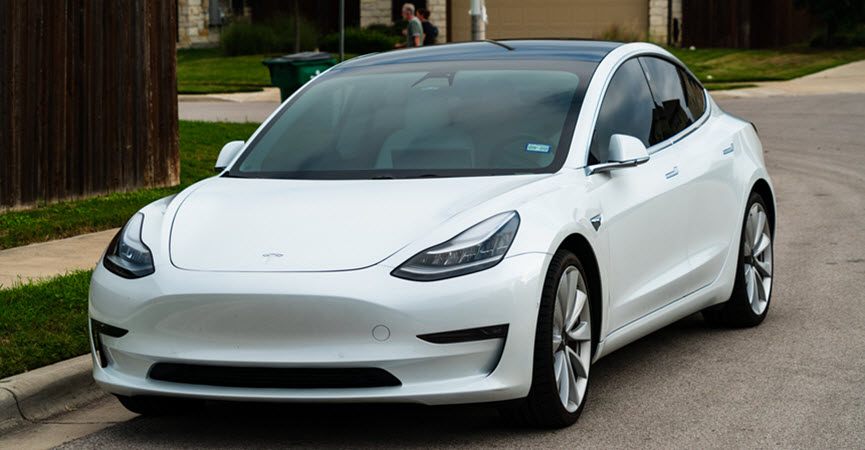
The most recent model produced by the brand is the Tesla Model 3, which is a battery-powered, compact executive fastback saloon designed by Tesla. This particular model has been the best-selling PEV (plug-in electric vehicle) in the United States since 2018. However, as elegant and exotic as this car may be, it is not far from having faults. One such fault or failure is the touch screen failure.
In a situation where traction settings, suspension setups, and defogging of windscreens are controlled by touch, what happens if the screen breaks? Sadly, the Tesla Model 3 touch screen has been a source of concern for some Tesla owners.
Different issues are reported by drivers, some of which seem to fix themselves, while others seem to get worse over time. Tesla may or may not be able to fix these issues depending on the car’s age and the issue, and sometimes it is up to the individual service center. Let’s find out how and if you can fix your issue, and how to assess it.
The Role of The Tesla Model 3 Touch Screen
The touchscreen of the Tesla Model 3 is used to operate various aspects that are normally handled by physical buttons in typical automobiles. For example, the car’s climate control, navigation, and headlights are all controlled via the touchscreen. It is also used to manage media, navigate, access entertainment features, and personalize the Model 3 to suit your needs. The navigation section is the centerpiece of the touchscreen.
Some Common Problems Associated With Tesla’s Screen
The majority of reported Tesla screen problems we’ve seen, fall under the following categories:
- Slow Response to Input: You can detect that there’s a problem with your tesla’s touch screen when you notice a slow response to your commands.
- Frozen Screen: When this occurs, you will observe that the touch screen’s display is perfectly normal, but the system seems to ignore any touch input. You would not be able to do anything as the screen’s display seems to be stuck, and as such, the car can’t acknowledge any command it was given.
- Yellow bands appearing at the edge of the display: This usually happens over time, particularly in hotter climates and when the Tesla is parked in areas that are exposed to direct sunlight.
- Blank screens: This is a case in which you will discover that your touch screen is blank or entirely black, with nothing shown on it. As a result, there would be no input shown. This normally happens when the car first starts up.
- Unresponsive to touch: In this situation, input does not register on the screen, but the screen displays normally. This usually happens while the vehicle is moving.
Causes of Tesla Model 3’s Touch Screen Failure
One of the reasons why the touch screen of the Tesla Model 3 might experience total failure is the failure of the phantom touch software in the Tesla model 3. This software controls the smooth operation of the touch screen. However, its failure can be corrected by a software update designed by Tesla.
Another cause of the touch screen failure is the fast charging of your Tesla Model 3. During this process, the central processing computers may not have enough time to cool down before they are forced back onto the road. This can cause the car’s computer system to restart or lag, thereby causing the touch screen to operate slowly or go blank.
This problem can cause total damage to the touch screen over time. It is very important to take care of your Tesla computer system because any damage to your touch screen is highly detrimental to your car’s operation.
JCL Automotive: The PEV Expert You Can Trust In Hellertown
For more than 10 years, JCL Automotive has been the leading independent automotive service provider in your region! You can always count on us to help you service your Tesla so it runs at maximum efficiency.
Since our recent move into the heart of Hellertown, PA, we offer the same state-of-the-art diagnostic, repair, and maintenance services you’ve come to expect, as well as many more! We are confident that with our expanded staff and capabilities, we can meet all of your Tesla’s service needs. Call or visit our shop today to receive the best service on your Tesla, Audi, BMW, and Mercedes models!
* Tesla Model 3 image credit goes to: RoschetzkyIstockPhoto.